Login Issues
Solve problems signing in to your OKPaid account
Last updated: January 19, 2026
Login Issues
Having trouble signing in? Follow these steps to fix common login problems.
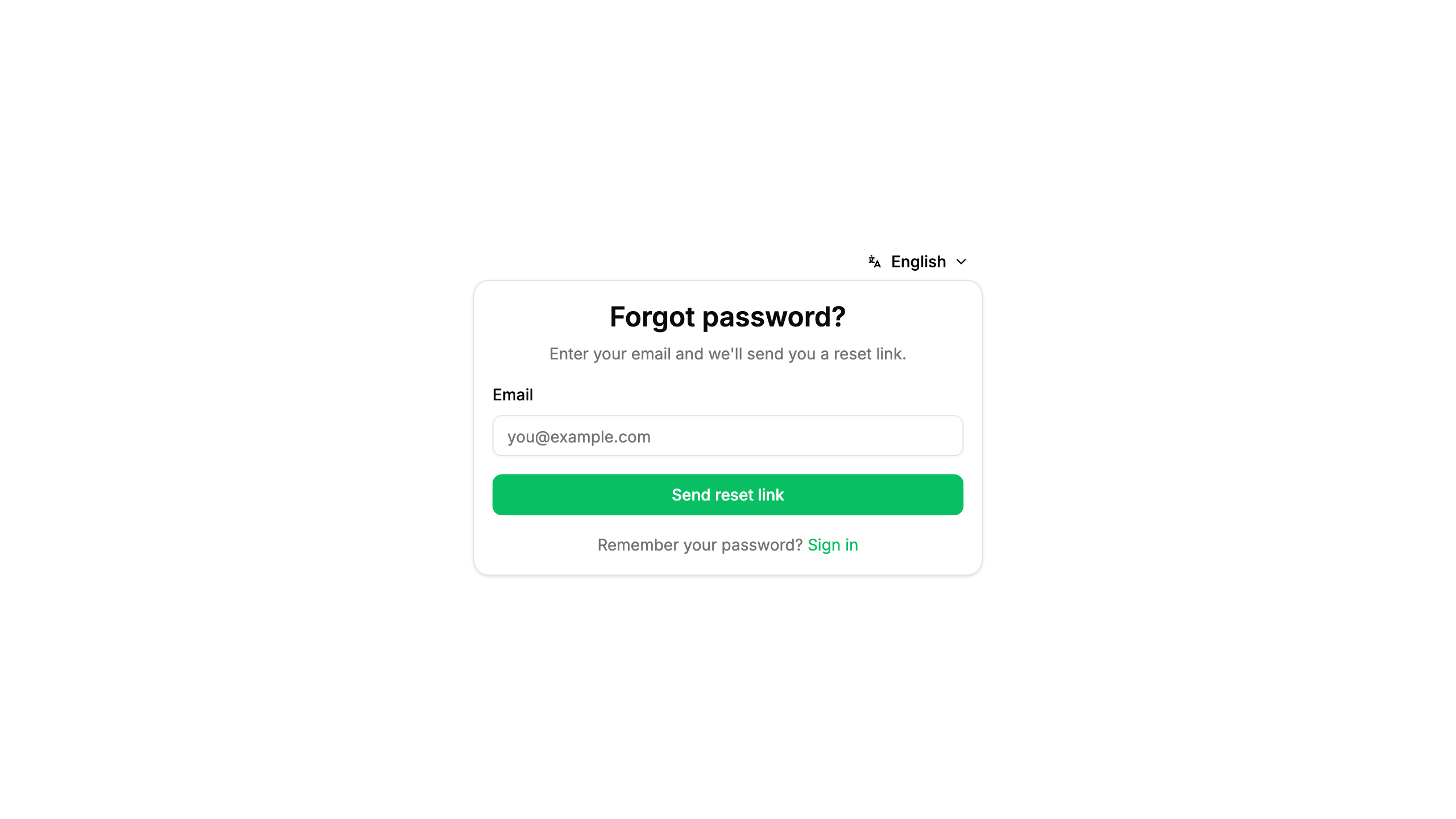
Forgot Password
If you forgot your password:
- Go to the sign in page
- Click Forgot password?
- Enter your email address
- Click Send reset link
- Check your email (including spam folder)
- Click the link in the email
- Create a new password
Reset Link Not Received
If you do not receive the reset email:
- Check your spam/junk folder
- Wait 5 minutes (emails can be delayed)
- Make sure you used the correct email address
- Try requesting another reset link
- Add no-reply@okpaid.io to your contacts
Wrong Password
If you see “Incorrect password”:
- Make sure Caps Lock is off
- Check for extra spaces before or after the password
- Try the password reset process
- Make sure you are using the right account
Account Not Found
If you see “Account not found”:
- Check that you typed your email correctly
- Try a different email address you might have used
- You may need to create a new account
- Contact support if you are sure you have an account
Email Already in Use
If you see this error when signing up:
- You already have an account with this email
- Try signing in instead
- Use password reset if you forgot your password
Session Expired
If you are suddenly signed out:
- Sign in again with your password
- This is normal after inactivity
- Check that your browser accepts cookies
Constantly Being Signed Out
If this happens frequently:
- Check browser settings - Make sure cookies are enabled
- Clear browser cache - Old data can cause issues
- Disable browser extensions - Some can interfere with login
- Try a different browser - Rule out browser problems
- Check your internet connection - Unstable connections cause issues
Two-Factor Authentication Issues
If you have 2FA enabled and cannot access your account:
- Use a backup code (saved when you set up 2FA)
- Wait for the next code (codes change every 30 seconds)
- Check that your device time is correct
- Contact support with proof of identity
Browser Issues
Clear Browser Cache
Clearing cache fixes many login problems:
Chrome:
- Click the three dots menu
- Go to Settings > Privacy and security
- Click Clear browsing data
- Select Cookies and Cached images
- Click Clear data
Firefox:
- Click the menu button
- Go to Settings > Privacy & Security
- Find Cookies and Site Data
- Click Clear Data
Safari:
- Go to Safari > Preferences
- Click Privacy tab
- Click Manage Website Data
- Find okpaid.io and remove it
Enable Cookies
OKPaid requires cookies to work:
Chrome:
- Go to Settings > Privacy and security
- Click Cookies and other site data
- Make sure cookies are allowed
Firefox:
- Go to Settings > Privacy & Security
- Find Cookies and Site Data
- Set to Standard or Custom with cookies allowed
Try Incognito/Private Mode
Test if extensions are causing problems:
- Open an incognito/private window
- Go to app.okpaid.io
- Try signing in
- If it works, a browser extension is the problem
Mobile App Issues
If using OKPaid on mobile:
- Make sure you have internet connection
- Close and reopen the browser
- Clear browser data
- Update your mobile browser
- Try using a desktop computer
Account Locked
If your account is locked:
- Too many failed login attempts
- Wait 30 minutes and try again
- Contact support if still locked
Organization Access Issues
If you can sign in but cannot access your organization:
- Check invitation - Did you accept the invitation?
- Ask admin - Your access may have been removed
- Switch organization - You might be in a different organization
- Pending approval - Your admin may need to approve access
Staff PIN Login
If the kiosk says “Invalid PIN”, check the digits and check that the person is not disabled on the Staff PINs page. The first sign-in on a device needs the internet. See Staff PIN Login for the steps.
Contact Support
If nothing works:
- Email us at contact@okpaid.io
- Include:
- Your email address
- What you see when you try to login
- What browser you are using
- Any error messages
We typically respond within 24 hours.
Tips
Tip: Use a password manager to avoid forgetting your password.
Tip: Save your 2FA backup codes in a safe place.
Tip: Bookmark app.okpaid.io to avoid typos in the URL.