
Expenses & Light Accounting
Track expenses, recurring bills and salaries, and see a simple profit view
Last updated: August 18, 2026
Expenses & Light Accounting
Track money going out of your business beyond inventory purchases: utility bills, staff salaries, rent, supplies, and other costs. See a simple profit view by combining your sales profit with your expenses.
This is not double-entry bookkeeping. It is expense tracking, recurring bills, and a light profit-and-loss summary.
Who Can Use It
Expenses are available to Owner and Manager roles only. Staff members cannot see expenses in the web app, the mobile app, or the API.
What You Can Do
- Record one-off expenses (electricity bill, rent, supplies, misc)
- Choose from preset categories
- Set up recurring bills and salaries that appear automatically
- Filter expenses by date range and category
- See monthly totals and a per-category breakdown
- See Net after expenses (sales profit minus expenses for the same period)
Expense Categories
| Category | Examples |
|---|---|
| Utilities | Electricity, water, internet |
| Salaries | Staff wages, bonuses |
| Rent | Store or office rent |
| Supplies | Packaging, cleaning, office supplies |
| Marketing | Ads, flyers, promotions |
| Maintenance | Repairs, equipment upkeep |
| Taxes | Business taxes, fees |
| Other | Anything that does not fit above |
Open Expenses
- Go to Expenses in the sidebar (web) or the More menu (mobile)
- You will see the expense list with the current month summary
Recurring Bills & Salaries
Instead of re-entering the same bill every month, create a recurring expense once:
- Weekly (every 7 days)
- Monthly (same day each month)
- Yearly (same day each year)
OKPaid generates the expense automatically on each due date. An optional end date stops future entries; you can also deactivate or delete a template anytime.
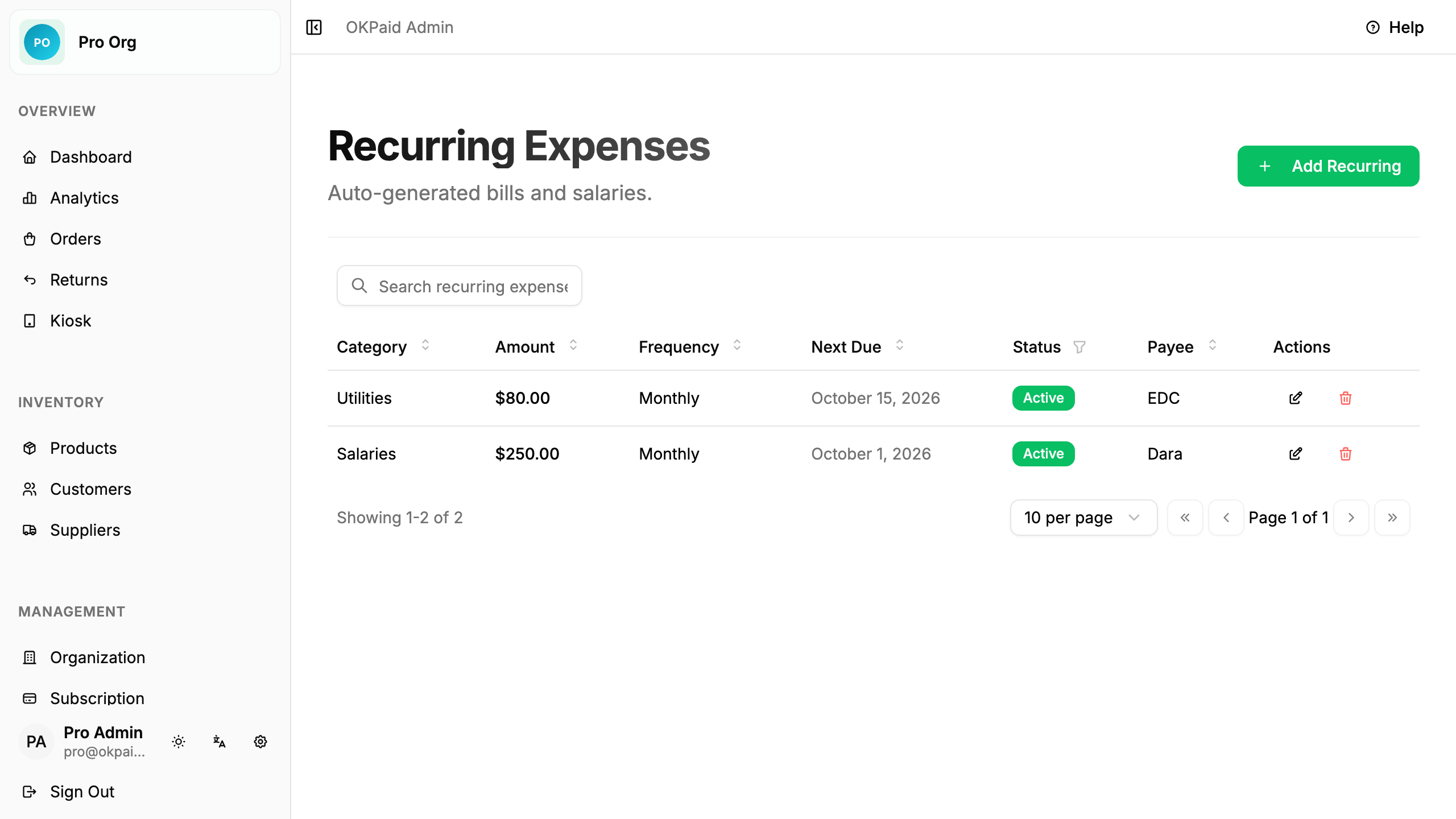
See the Expenses guide for step-by-step instructions.
Profit View
The expenses page shows:
- This month total - all expenses for the current month
- By category - how much went to each category
- Net after expenses - your sales net profit minus expenses for the same period
Next Steps
- Expenses Guide - Step-by-step instructions
- Reports & Analytics - See sales net profit in detail