
Branding & Customization
Customize your invoice appearance and regional settings
Last updated: March 14, 2026
Branding & Customization
Customize how your invoices look and feel. Set your invoice prefix, footer messages, and regional preferences.
Access Branding Settings
- Click Organization in the sidebar
- Click Branding under Store setup
- You will see the branding customization options
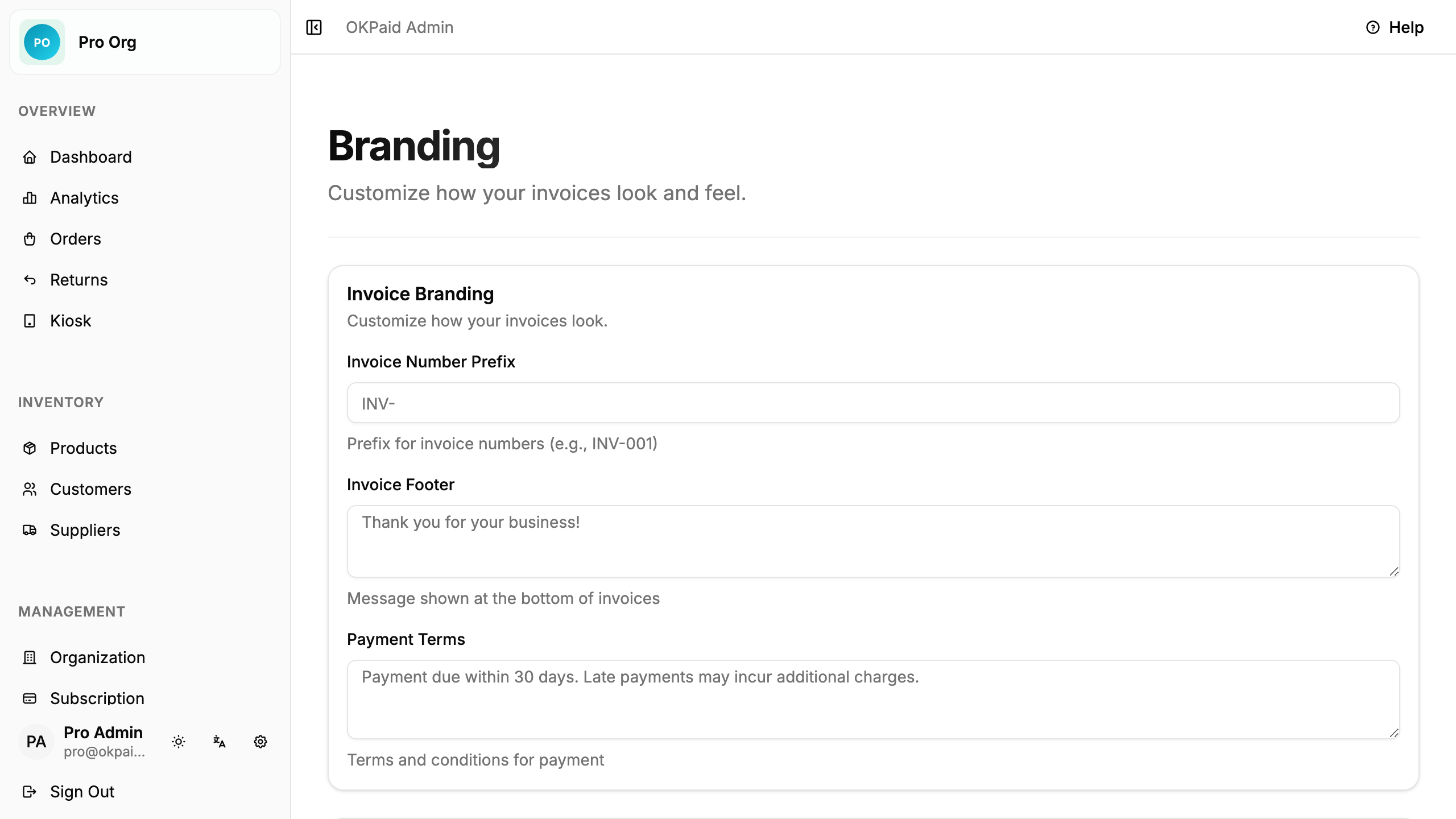
Invoice Branding
Customize the appearance of your invoices.
Invoice Number Prefix
Set a custom prefix for your invoice numbers.
| Setting | Description |
|---|---|
| Default | INV- (e.g., INV-001) |
| Custom | Any text you choose (e.g., OK-, RECEIPT-, etc.) |
Example:
- Prefix:
OK- - Invoice numbers: OK-001, OK-002, OK-003
Tip: Use a prefix that matches your business style. Keep it short to save space.
Invoice Footer
Add a custom message at the bottom of all invoices.
| Setting | Description |
|---|---|
| Default | “Thank you for choosing [Business Name]!” |
| Custom | Any message you want |
Examples:
- “Thank you for your business!”
- “We appreciate your support”
- “Please come again”
Tip: Use this space for thank you messages or short promotional text.
Payment Terms
Define your payment terms and conditions.
| Setting | Description |
|---|---|
| Default | “Payment is due within 14 days of invoice date.” |
| Custom | Your specific payment terms |
Examples:
- “Payment due on receipt”
- “Net 30 days”
- “Cash only - no credit”
Important: Be clear about your payment expectations to avoid confusion.
Localization
Set regional preferences for your invoices. For products priced in two currencies (e.g. USD and KHR), see Dual Currency (USD + Local).
Currency
Choose the currency displayed on invoices.
| Setting | Description |
|---|---|
| Options | USD ($), EUR (€), GBP (£), JPY (¥), and more |
| Default | Set during organization creation |
Note: This affects how prices appear on invoices. It does not convert prices between currencies.
Timezone
Set your local timezone for invoice timestamps.
| Setting | Description |
|---|---|
| Format | Region/City (e.g., Asia/Phnom_Penh, America/New_York) |
| Effect | Invoice dates and times show in your local time |
Tip: Set this to your business location so invoice times match your local time.
Date Format
Choose how dates appear on invoices.
| Format | Example |
|---|---|
| ISO 8601 | 2024-12-31 |
| US Format | 12/31/2024 |
| European | 31/12/2024 |
| Long Format | December 31, 2024 |
Tip: Choose a format your customers will easily understand.
How Changes Are Saved
The Branding page uses autosave. This means:
- Make your changes to any field
- Wait a moment (usually 1-2 seconds)
- The system automatically saves your changes
- You will see an indicator showing “Saving…” then “Saved”
Note: You do not need to click a Save button. Changes are saved automatically.
Note: Existing invoices keep their original format. Changes only affect new invoices.
Preview Your Changes
To see how your branding looks:
- Go to Orders
- Click on any completed order
- Click View Invoice
- Check your custom prefix, footer, and formatting
Tips
Tip: Keep your invoice prefix short (2-4 characters) to save space.
Tip: Use the footer for professional closing messages or contact information.
Tip: Set clear payment terms to help customers understand when payment is due.
Tip: Match your currency and date format to your local business standards.
Common Questions
Will changes affect old invoices? No. Only new invoices use updated branding settings.
Can I have different branding for different customers? No. All invoices use the same branding settings for your organization.
Can I add my logo to invoices? Yes. Upload your logo in Organization > Business Profile.
Can I customize the invoice colors? Not currently. Invoices use a standard professional design.
What happens if I change currency? Prices stay the same number. Only the currency symbol changes (e.g., $100 becomes €100).
Next Steps
- Business Profile - Add your logo and business details
- Working with Invoices - Learn more about creating and sending invoices
- Organization Settings - Manage other organization preferences