
Managing Customers
Add and organize your customer information
Last updated: September 17, 2026
Managing Customers
Customers are the people or businesses you sell to. Keep their information organized in OKPaid to create orders faster.
View Your Customers
- Click Customers in the sidebar
- You will see a list of all your customers
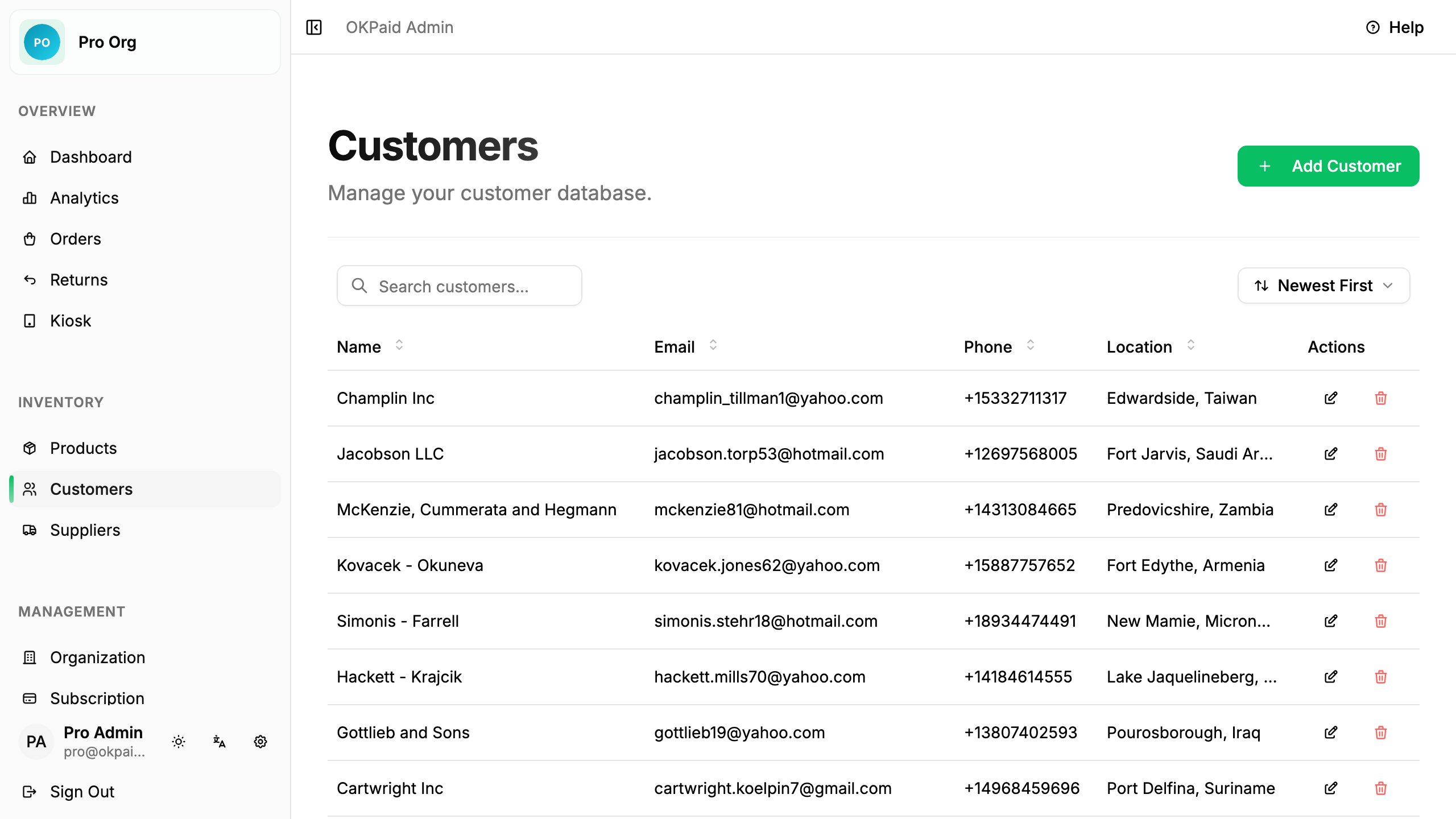
The customers list shows:
- Customer name
- Email address
- Phone number
- Total orders (how many orders they have)
Search for Customers
Use the search box to find customers by:
- Name
- Phone number
Add a New Customer
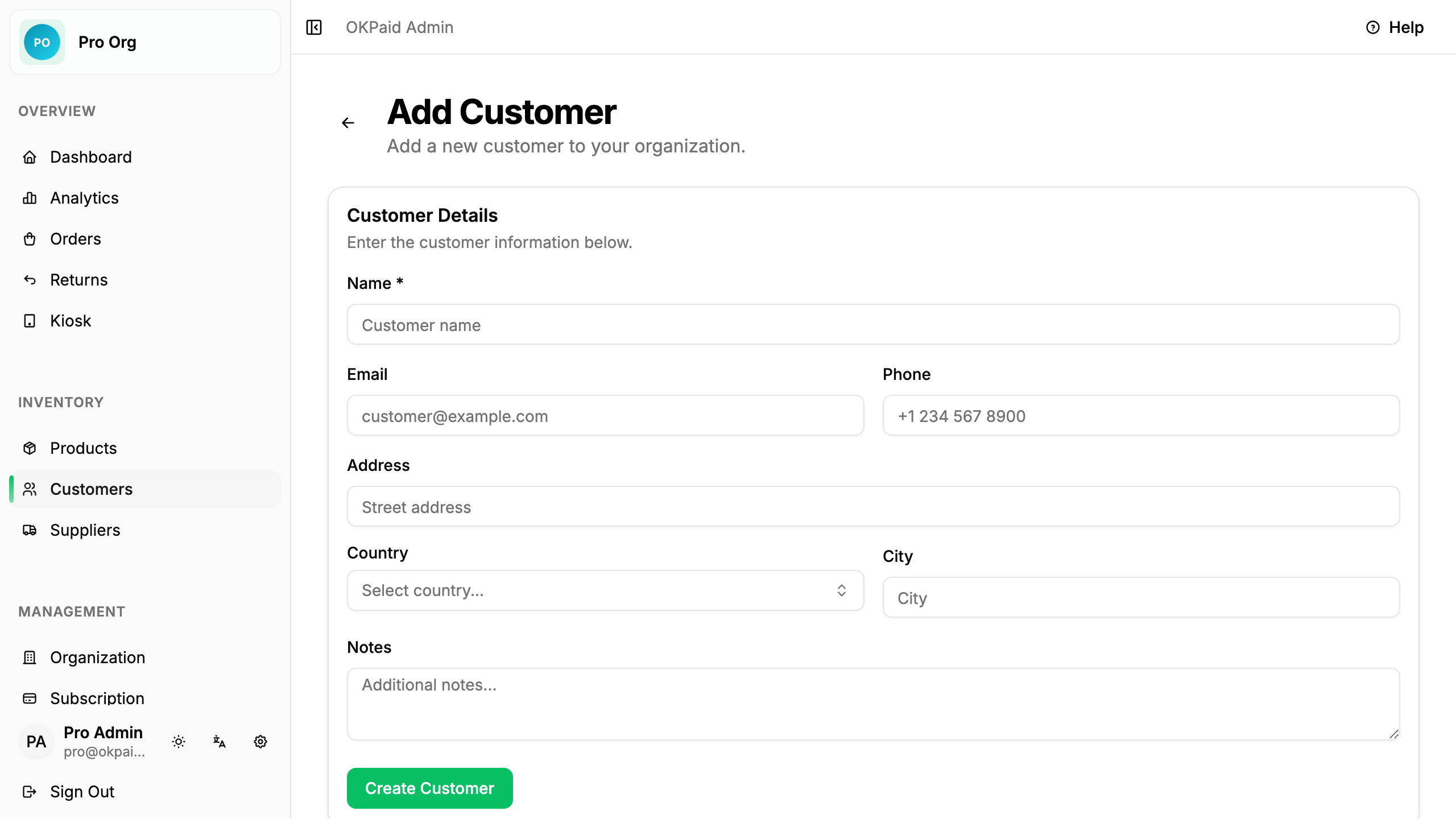
- Click Add Customer button
- Fill in the customer details:
| Field | Required | Description |
|---|---|---|
| Name | Yes | Customer’s full name or company name |
| Yes | Customer’s email address | |
| Phone | No | Phone number |
| Address | No | Street address |
| City | No | City name |
| Country | No | Country |
| Notes | No | Any notes about this customer |
- Click Save
Tip: Add the customer’s email so you can send invoices directly.
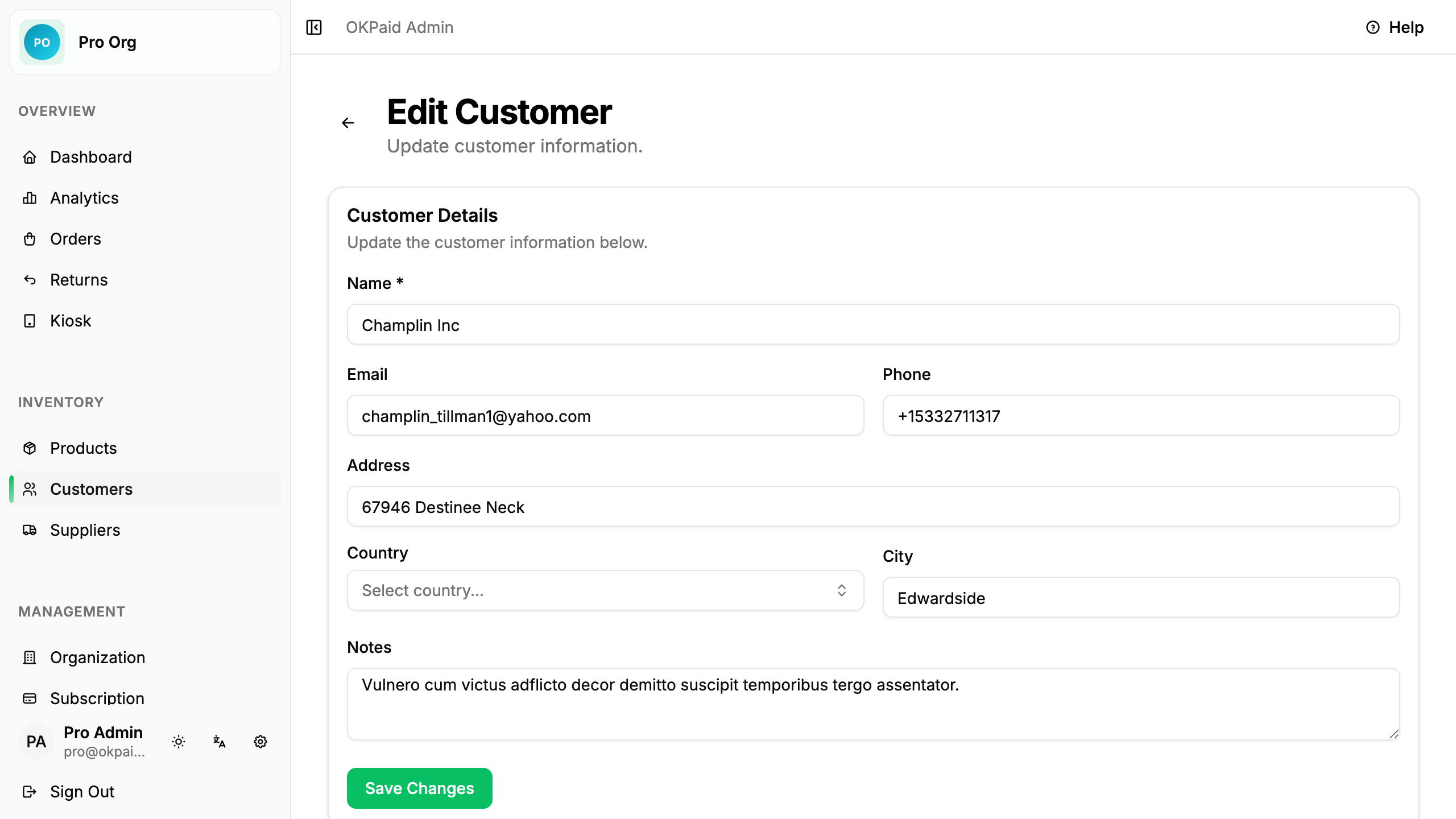
Edit a Customer
- Find the customer in your list
- Click on the customer name
- Click Edit
- Make your changes
- Click Save
Delete a Customer
- Find the customer you want to delete
- Click the menu icon (three dots)
- Click Delete
- Confirm the deletion
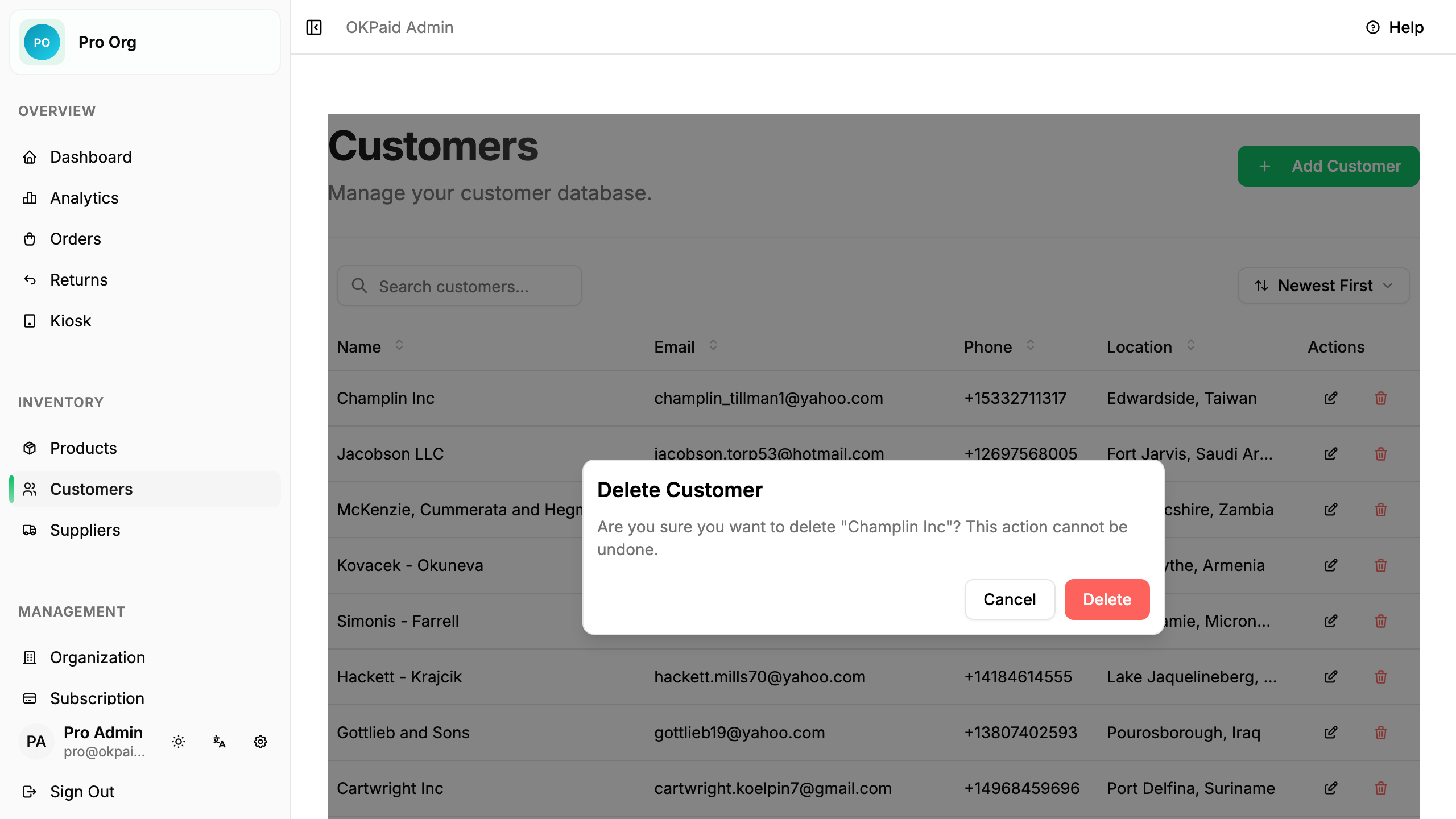
Warning: Deleting a customer does not delete their orders. Past orders will keep the customer name.
Create Customer from Order
You can add a new customer while creating an order:
- Start creating a new order
- Click Add New Customer in the customer dropdown
- Fill in the customer details
- The new customer is saved and selected for the order
This saves time when you have a new customer making their first purchase.
Tips
Tip: Keep customer emails up to date.
Tip: Use the notes field to remember important details about each customer.
Tip: Regular customers with many orders might be good candidates for special offers.
Common Questions
Can I import customers from a spreadsheet? Not yet. You need to add customers one at a time.
Can I merge duplicate customers? Not yet. Delete the duplicate and update the remaining customer.
What happens to orders if I delete a customer? Orders are kept. They will show the customer name but link to a deleted customer.
Can customers create their own account? No. OKPaid is for your business only. Customers do not log in.
Next Steps
- Creating Orders - Create orders for your customers
- Working with Invoices - Send invoices to customers